Best Robot Vacuum for Multiple Floors 2026: Multi-Map Memory Picks
Best robot vacuums for multiple floors with multi-map memory and LiDAR navigation. Expert guide to multi-level robot vacuum cleaning.
Table of Contents
- Best Robot Vacuum for Multiple Floors 2026: Multi-Map Memory Picks
- How Multi-Floor Mapping Actually Works
- What to Look for When Buying a Multi-Floor Robot Vacuum
- Best Robot Vacuums for Multiple Floors in 2026
- One Robot Per Floor vs. Carrying One Robot Between Floors
- Tips for Setting Up Multi-Floor Cleaning Schedules
- Frequently Asked Questions
- Summary: Best Robot Vacuum for Multiple Floors
Best Robot Vacuum for Multiple Floors 2026: Multi-Map Memory Picks
Here is the truth that most robot vacuum marketing quietly sidesteps: the vast majority of robot vacuums are designed to clean one floor at a time. They map a single level, return to their dock, and wait for the next session — all on the same floor. If you live in a two-story, three-story, or split-level home, the standard robot vacuum ownership experience involves either physically carrying the robot upstairs after every use or buying a separate unit for each floor.
That is a legitimate solution for many households. But advances in multi-map memory technology have opened a third path: robot vacuums that can store separate, detailed floor plans for every level of your home, recognize which floor they are on when you place them there, and pick up exactly where the saved map says they should begin. This guide covers how that technology works, which models do it best in 2026, and how to decide whether one robot or multiple units is the right choice for your home.
How Multi-Floor Mapping Actually Works
Understanding the technology helps you evaluate products honestly rather than trusting marketing bullet points.
LiDAR Navigation: The Foundation
The reason premium robot vacuums can map floors at all comes down to LiDAR (Light Detection and Ranging). A rotating laser module on the top of the robot emits pulses of infrared light and measures how long each pulse takes to return after bouncing off walls, furniture, and other surfaces. By spinning through a full 360-degree arc hundreds of times per second, the robot builds a precise, real-time point cloud of its surroundings and converts that into a detailed 2D floor map.
LiDAR works in complete darkness, is unaffected by floor color or texture, and produces maps accurate to within a few centimeters. This is what allows a robot to navigate in efficient, methodical rows rather than bumping randomly around rooms like older-generation models. It is also the technology that makes multi-floor map storage meaningful — if your maps are vague, storing multiple imprecise ones gives you little advantage.
Camera-based SLAM (Simultaneous Localization and Mapping) is a lower-cost alternative found in some models. It functions reasonably well but is less accurate in low light and on floors with little visual contrast. For multi-floor homes, LiDAR is the recommended technology.
Multi-Map Memory: Saving Separate Floor Plans
Once a robot has mapped a floor, it stores that map in onboard memory and associates it with a unique identifier. Premium models can hold four to five separate floor plans, one per floor of a multi-story home. When you carry the robot to a different floor and place it near its dock (or a charging mat), the robot goes through a brief localization routine — spinning its LiDAR sensor to compare the current environment against all stored maps — and identifies which floor it is on.
From that point, it loads the correct map and navigates accordingly, applying any custom room labels, no-go zones, or cleaning schedules you have configured for that specific floor. The localization process typically takes 30 to 60 seconds.
This eliminates the need to re-map every time you move the robot. Your bedroom floor with its closet-side no-go zone and your kitchen with its under-counter schedule remain exactly as you configured them — on separate stored maps.
Virtual Boundaries and Room-Specific Settings
Multi-map memory pairs naturally with virtual boundaries and room-level customization. Within the companion app, you can draw no-go zones over areas like pet bowls, cable tangles, or child play areas. You can set no-mop zones over carpeted rooms. You can assign individual suction power levels to different rooms — maximum suction for the living room carpet, quieter eco mode for the home office during work hours.
All of these settings are tied to specific rooms on specific floor maps. When you switch floors, the robot does not carry over configurations from the previous level. Each floor is its own independent cleaning environment.
What to Look for When Buying a Multi-Floor Robot Vacuum
Not every robot that claims multi-map support delivers it reliably. Here are the specifications that actually matter.
Number of stored maps: Look for models that store at least four to five floor plans. Some budget robots claim multi-map functionality but only store two, which limits your options in a three-story home.
LiDAR navigation: Camera-only navigation struggles to localize reliably across different floors, especially in low light. LiDAR-equipped robots identify their location faster and more accurately.
Dock placement: For the fastest localization, each floor should have its own charging dock. Some robots can be placed anywhere on a floor and self-localize without a dock, which adds flexibility if you only own one robot.
Self-emptying capacity: If you are moving one robot between floors, a large self-emptying base on each floor simplifies maintenance. Some households keep the self-empty dock on the primary floor and use a simple charging dock on secondary floors.
Runtime per floor: A robot vacuuming a full floor of 1,000 to 1,500 square feet needs at least 90 to 120 minutes of runtime. Models with recharge-and-resume ensure the floor gets finished even on a lower battery.
Best Robot Vacuums for Multiple Floors in 2026
The following picks were selected specifically for their multi-floor mapping capability, LiDAR navigation accuracy, and practical features for multi-level household use.
1. Roborock Qrevo S5V — Best Overall for Multi-Floor Homes
Rating: 4.2 stars | 1,633 ratings
The Roborock Qrevo S5V is the strongest all-around pick for multi-floor households. Its PreciSense LiDAR system scans 360 degrees continuously, building detailed floor maps that it stores in memory for up to four separate levels. When you carry the robot to a different floor, it localizes against the stored maps within seconds and begins cleaning according to the settings you configured for that level — no re-mapping, no reconfiguration.
The hardware backs up the software. 12,000Pa HyperForce suction is among the highest available in the robot vacuum category, extracting embedded dirt and pet hair from both carpet and hard floors with equal authority. The FlexiArm dual spinning mop extends laterally to reach baseboards and corners that conventional robot mops miss entirely, and a 10mm mop lift raises the pads automatically when the robot detects carpet, preventing moisture transfer to carpet fibers.
The self-maintaining dock handles almost everything automatically: it empties the dustbin into a sealed 10-week-capacity bag, self-washes the mopping pads after each session, and dries them with warm air to prevent mildew. The reactive obstacle avoidance system navigates around furniture legs, cables, shoes, and pet toys, reducing the number of interruptions during a cleaning run.
For a multi-story home where you want one premium robot to deliver the best possible clean on every floor, the Qrevo S5V is the model to beat.
Multi-floor specs: Up to 4 saved floor plans, PreciSense LiDAR, SmartPlan room-level customization, no-go and no-mop zones per floor.
Best for: Multi-story homes with a mix of carpet and hard floors, pet owners, households that want the most thorough per-floor cleaning available.

Roborock Qrevo S5V robot vacuum and mop with 12,000Pa suction, FlexiArm edge mopping, zero-tangle brushes, and self-emptying dock. Full expert review.
2. Roborock Qrevo QV 35A — Best Value Premium Pick
Rating: 4.3 stars | 1,457 ratings
View the Roborock Qrevo QV 35A
The Qrevo QV 35A sits one tier below the S5V in Roborock’s lineup but delivers the same core multi-floor technology at a lower price. PreciSense LiDAR maps up to four floor levels, stores each plan independently, and auto-localizes when the robot is moved between floors.
8,000Pa suction is powerful across both carpet and hard floors, and the dual 200RPM spinning mop pads with 30 adjustable water flow levels provide genuine hard floor scrubbing rather than a simple damp-drag. Like the S5V, the mop pads lift 10mm on carpet detection. The all-in-one dock handles dust emptying, water refilling, mop washing, and mop drying automatically, with a 2.7-liter dust bag that lasts seven to nine weeks.
The SGS-certified asymmetrical side brush achieves a zero-percent hair tangling rate — a particularly valuable feature in homes with pets or long-haired occupants, since a robot that needs frequent brush maintenance becomes a significant inconvenience when it is being used across multiple floors.
At a lower price than the S5V, the QV 35A is an excellent entry point into Roborock’s multi-floor ecosystem for buyers who want premium LiDAR mapping and a self-maintaining dock without paying for the flagship model’s 12,000Pa suction and FlexiArm mopping.
Multi-floor specs: Up to 4 saved floor plans, PreciSense LiDAR 360°, per-room suction and water flow settings, virtual boundaries per floor.
Best for: Two- to four-story homes, buyers who want strong multi-floor capability at a step below flagship pricing.

Roborock Qrevo QV 35A robot vacuum and mop delivers 8000Pa suction, anti-tangle brush, auto mop washing, and all-in-one dock. Full expert review inside.
3. eufy E25 — Best for Largest Floor Plan Count
Rating: 4.2 stars | 15,938 ratings
The eufy E25 is the pick for households with the most floors to manage, supporting up to five saved floor plans — one more than most Roborock models in this class. Laser-guided navigation with AI obstacle avoidance builds accurate maps on each floor, and the robot identifies which floor it is on after placement with the same localization routine used by competing LiDAR models.
The headline cleaning specification is 20,000Pa of turbo suction, the highest of any robot in this guide. DuoSpiral anti-tangle brushes prevent pet hair wrap, and the HydroJet mopping system refreshes the roller mop twice per second with clean water during operation — a genuine deep-cleaning advance over models that drag a single static pad across the entire floor. A CornerRover extendable arm reaches along baseboards and into corners that the main body bypasses.
The all-in-one base station auto-empties into a 3-liter bag lasting approximately 75 days, self-washes and hot-air dries the mop after each session, and auto-refills the water tank. With 125 minutes of runtime in standard vacuum-and-mop mode and a 21mm climbing ability to handle thresholds and rug transitions, the E25 covers large floor plans thoroughly in a single session.
Voice control extends to Alexa, Google Assistant, and Siri — broader compatibility than most competitors, useful if different household members use different smart assistants.
Multi-floor specs: Up to 5 saved floor plans, laser navigation with AI obstacle avoidance, no-go and no-mop zones per floor, room-level scheduling.
Best for: Homes with four or five distinct levels, households that want the highest possible suction power combined with five-floor map capacity.
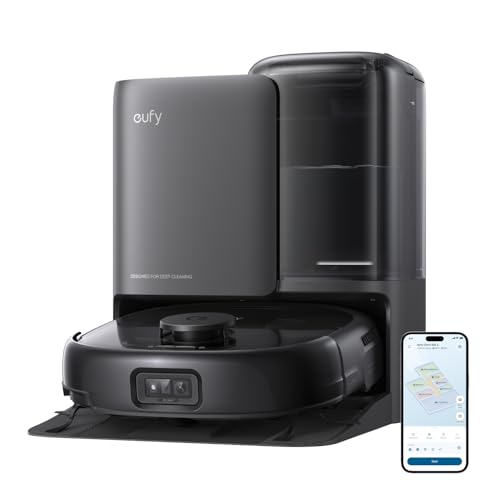
eufy E25 robot vacuum and mop combo with 20,000 Pa suction, HydroJet self-cleaning mop, all-in-one station, and laser navigation. Full expert review.
4. Uninell UR3 — Best Runtime for Large Multi-Floor Coverage
Rating: 4.6 stars | 147 ratings
The Uninell UR3 stands out in multi-floor use for one specification that directly determines how much of each floor actually gets cleaned: 180 minutes of runtime on a single charge. When you are moving one robot between floors, runtime per floor is critical — a robot that runs out of power on the second floor and cannot complete the job defeats the purpose of multi-floor mapping.
The UR3 supports up to five saved floor maps, each with independent no-go zones and no-mop zones configurable through the companion app. 360-degree LiDAR navigation builds precise maps regardless of lighting conditions, and the robot’s 3.8-inch profile allows it to slide under furniture that taller LiDAR-turret robots cannot access.
7,000Pa cyclone suction with an Auto-Carpet Boost feature automatically increases power by 200 percent when the robot transitions onto carpeted surfaces, then reduces it on hard floors to conserve battery. The 3-in-1 sweep, vacuum, and mop functions allow the robot to handle mixed surface types on each floor in a single pass. The self-emptying base holds up to 90 days of debris before requiring attention.
At a price that undercuts Roborock’s premium lineup, the UR3 offers a compelling five-map, long-runtime package from a newer brand that has earned strong early-user ratings.
Multi-floor specs: Up to 5 saved floor plans, 360° LiDAR, No-Go and No-Mop zones per floor, auto carpet boost, 180-min runtime.
Best for: Larger multi-story homes where per-floor runtime matters, budget-to-mid-range buyers who want five-map capacity.
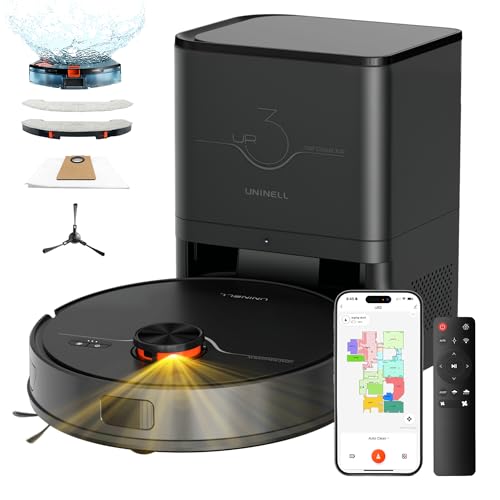
Uninell UR3 robot vacuum and mop combo with 7000Pa suction, LiDAR navigation, self-emptying base, and 180-min runtime. Full expert review.
5. Tikom L8000 Plus — Best for Smart Home Integration on Multiple Floors
Rating: 4.6 stars | 462 ratings
The Tikom L8000 Plus earns its place on this list for a combination of multi-floor mapping depth and one network specification that most competitors omit: dual-band WiFi supporting both 2.4GHz and 5GHz networks simultaneously. Most robot vacuums are locked to 2.4GHz only. In multi-story homes where 5GHz coverage may vary by floor, 2.4/5GHz auto-switching ensures the robot maintains stable app connectivity regardless of which floor it is currently cleaning.
The L8000 Plus stores up to five floor maps with independent room labels, no-go zones, no-mop zones, and cleaning schedules accessible through the companion app. 360-degree LiDAR navigation produces precise room-level maps, and the robot’s intelligent carpet detection automatically boosts suction to the 6,000Pa maximum when transitioning onto carpeted surfaces.
A 3-liter self-emptying base handles up to 90 days of debris, and the 150-minute runtime with auto-recharge-and-resume ensures full floor coverage even in larger spaces. Alexa voice control adds convenient hands-free management when the robot is on a different floor and you want to trigger a spot clean or schedule adjustment without pulling up the app.
The 2-in-1 vacuum and mop functionality covers both dry and wet floor care, with three adjustable water flow settings for different floor types. The L8000 Plus is a strong mid-range choice for tech-integrated households.
Multi-floor specs: Up to 5 floor maps, 360° LiDAR, 2.4GHz and 5GHz WiFi, no-go and no-mop zones per floor, room-level scheduling, Alexa integration.
Best for: Smart home households, multi-story homes with variable WiFi coverage by floor, buyers who want strong connectivity alongside solid mapping.
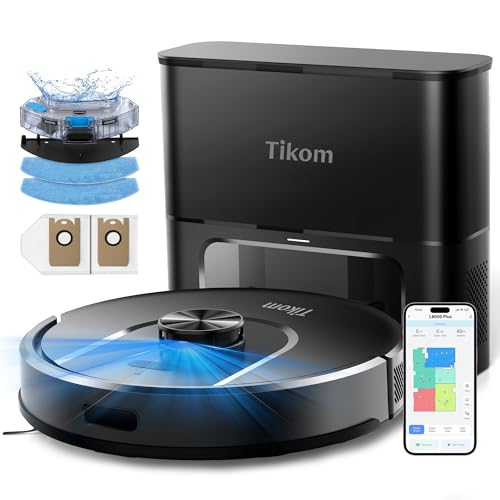
Tikom L8000 Plus robot vacuum and mop with self-emptying base, 6000Pa suction, and LiDAR navigation. 90-day hands-free cleaning for pet hair and all floors.
6. Lefant M2L Plus — Best Budget Multi-Floor Robot Vacuum
Rating: 4.0 stars | 111 ratings
The Lefant M2L Plus is the most accessible entry point on this list for buyers who need genuine LiDAR-based multi-floor mapping without paying a premium price. It features 360-degree LiDAR navigation with multi-floor mapping that automatically recognizes which floor the robot is on after placement and loads the corresponding saved plan.
Nine triangulation distance sensors with a 190-degree wide detection angle give the robot accurate obstacle avoidance in any lighting condition, including complete darkness. Like the L8000 Plus, the M2L Plus also supports dual-band WiFi (2.4GHz and 5GHz) with automatic switching — a meaningful connectivity advantage over single-band competitors in multi-story homes.
6,000Pa suction handles everyday debris, pet hair, and fine dust across hard floors and low-to-medium pile carpets. The smart carpet detection system deserves special mention: when the mopping pad is attached, the robot automatically avoids all carpeted areas to prevent moisture damage. When the pad is removed, it detects carpet and automatically boosts to maximum suction. This dual-mode carpet intelligence simplifies the transition between mopping and vacuuming-only sessions.
A 75-day self-emptying base and 130-minute runtime provide practical convenience for multi-floor use. Alexa and Apple Watch integration round out a feature set that punches above its price point.
Multi-floor specs: Multi-floor LiDAR mapping (auto floor recognition), dual-band WiFi, smart carpet detection with auto-boost or auto-avoidance, no-go zone support.
Best for: Budget-conscious buyers who want real LiDAR multi-floor mapping, Apple Watch users, households with dual-band WiFi networks.
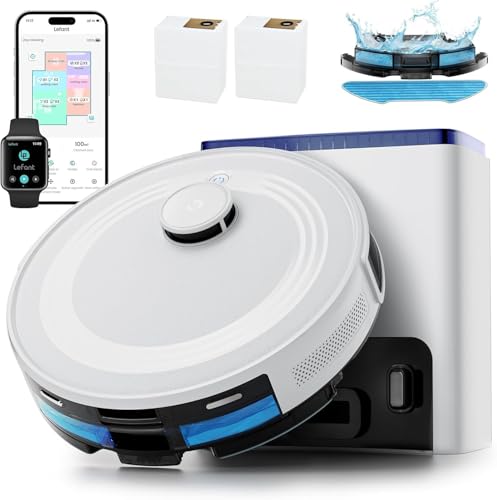
Lefant M2L Plus robot vacuum and mop with LiDAR navigation, 6000Pa suction, and 75-day self-emptying base. Features multi-floor mapping and smart app control.
One Robot Per Floor vs. Carrying One Robot Between Floors
This is the most practical decision most multi-story homeowners need to make. There is no universally correct answer — the right choice depends on your home layout, cleaning frequency, and budget.
The Case for One Robot Per Floor
Convenience is the primary argument. A robot vacuum assigned to each floor is always in position, always charged, and can run on its own schedule without requiring any manual intervention. You can schedule the ground floor to clean every morning and the upper floor every afternoon without touching either robot.
Speed is a secondary benefit. Two robots cleaning simultaneously means the entire home is cleaned in the time it takes one robot to finish a single floor. For households that want daily whole-home cleaning, this is a meaningful time saving.
Self-emptying docks work properly. When a robot is permanently stationed on a floor, it always returns to its dock at the end of a session. If you carry a single robot between floors, the self-emptying dock on one floor becomes useless when the robot is on another floor.
The main drawback is cost. A second robot — even a mid-range model — is a significant additional investment. If your primary robot is a flagship model, duplicating it for a second floor may not be financially practical.
The Case for Carrying One Robot Between Floors
Cost savings are substantial. One premium robot with excellent multi-floor mapping capability costs less than two mid-range robots, and you get better cleaning performance on each floor than you would from splitting your budget across two units.
Multi-map memory makes it practical. With a robot that stores four or five floor plans, carrying it upstairs takes five seconds. Place it near the secondary dock, and it self-localizes and begins cleaning with no additional input. When done, carry it back downstairs.
Maintenance is centralized. One robot means one filter to clean, one brush to check, one app to manage. Multi-robot ownership multiplies maintenance tasks proportionally.
The main drawbacks are scheduling limitations and dock dependency. You cannot clean two floors simultaneously with one robot. And if you rely on automatic scheduled cleaning, you need to remember to physically move the robot to the correct floor before each session — or accept that only one floor gets cleaned on any given day.
The Hybrid Approach
Many multi-floor households settle on a compromise: one premium robot with self-emptying dock on the primary floor (typically the most-used ground floor), and a budget robot with a simple charging dock on the upper floor. The upper floor robot handles daily light maintenance while the premium robot delivers deep cleaning on the main level.
This balances cost, automation, and cleaning quality without requiring two flagship units.
Tips for Setting Up Multi-Floor Cleaning Schedules
Once you have your multi-floor robot (or robots) in place, follow these steps to maximize their effectiveness.
Complete a fresh mapping run on each floor. After placing the robot on a new floor for the first time, run a dedicated mapping-only session before scheduling any cleaning. This gives the robot a clean, detailed floor plan to work from rather than one built on the fly during a cleaning run.
Label every room on every floor. The more specific your room labels in the app, the more targeted your cleaning commands can be. Label “Master Bedroom Floor 2” differently from “Master Bathroom Floor 2” so you can direct spot cleans accurately.
Set no-mop zones before your first mopping session. Any carpeted area on the floor where you plan to mop should be designated as a no-mop zone in the app before the robot starts. Forgetting this on even one pass can deposit moisture on carpet edges.
Schedule floors on alternating days. If you are using a single robot, schedule ground floor cleaning on Monday, Wednesday, and Friday, and upper floor cleaning on Tuesday, Thursday, and Saturday. This gives each floor regular attention without requiring daily robot relocation.
Use quiet mode for upper floors during bedtime. Most companion apps allow room-level and schedule-level noise settings. Configure upper floor schedules to run in quiet/eco mode during sleeping hours to avoid motor noise traveling through the ceiling.
Create separate charging docks or mats on each floor. Even if you only own one robot, having a charging mat on each floor means the robot always has a place to dock after completing a session. Some robots can localize from any position on the floor, but having a dock improves the localization accuracy and keeps the robot charged for the next session.
Run a re-mapping session after significant furniture rearrangements. Moving a sofa, adding a large piece of furniture, or reconfiguring a room layout can confuse a robot relying on an outdated map. A quick re-mapping session updates the stored floor plan and restores full cleaning efficiency.
Frequently Asked Questions
Can I use a robot vacuum on stairs?
No current consumer robot vacuum can clean stairs autonomously. Stairs remain a job for an upright, canister, or stick vacuum used manually. Robot vacuums are limited to flat floor surfaces, and all models in this guide include cliff detection sensors that prevent them from falling off stair edges.
How long does multi-floor localization take?
Most LiDAR robots take 30 to 60 seconds to spin up their sensor, scan the current environment, and match the readings against stored floor maps. During this time the robot is stationary. Once localization is complete, it proceeds to clean normally.
Do I need a separate dock on each floor?
You do not strictly need a separate dock on every floor, but it significantly improves the experience. Without a dock, the robot must be manually carried to a charging mat or back downstairs to its primary dock after each session. With a dock on each floor, the robot returns to charge automatically after finishing, and the self-localization process is faster when the robot starts from a known dock position.
Will the robot get confused if I have similar-looking rooms on different floors?
LiDAR maps are based on spatial geometry — the exact distances from the sensor to every wall, doorway, and furniture piece in the room. Even two rooms that look similar to the human eye will have different spatial signatures. LiDAR robots match against the entire floor plan, not individual rooms, so cross-floor confusion is rare with properly stored maps.
Can I schedule cleaning on a specific floor without carrying the robot there manually?
Not fully automatically with a single robot. You still need to physically move the robot to the floor you want cleaned. The schedule handles everything after placement — the robot localizes, runs its cleaning plan, and returns to dock autonomously. The physical move is the only manual step required.
What happens if the robot’s battery dies mid-floor?
Models with recharge-and-resume functionality will return to the nearest dock, charge to a sufficient level, then return to the exact position where they stopped and resume cleaning. This is essential on larger floors. All six robots in this guide support auto-recharge-and-resume.
Is a robot vacuum good enough as the only vacuum in a multi-floor home?
For daily maintenance cleaning, yes — particularly on hard floors and low-to-medium pile carpet. For deep quarterly cleaning, stair cleaning, upholstery, and areas the robot cannot reach (behind large furniture, inside closets), you will still want a handheld or stick vacuum as a supplementary tool.
How often should I update the floor maps?
Re-mapping is only necessary when your floor layout changes significantly. Routine furniture use, small item relocation, and normal daily changes do not require re-mapping. Most users update their maps a few times per year when they rearrange furniture or renovate.
Summary: Best Robot Vacuum for Multiple Floors
If your priority is the most powerful multi-floor system available, the Roborock Qrevo S5V delivers 12,000Pa suction, FlexiArm edge mopping, four stored floor maps, and a fully self-maintaining dock.
If you want excellent multi-floor performance at a step below flagship pricing, the Roborock Qrevo QV 35A provides the same PreciSense LiDAR, four-floor map storage, and self-maintaining dock at a more accessible price.
For the largest floor plan count, the eufy E25 stores five floor plans with 20,000Pa suction and HydroJet deep mopping.
For the longest runtime per floor, the Uninell UR3 covers up to 2,000 square feet on 180 minutes of battery with five-map LiDAR storage.
For smart home households with dual-band networking, the Tikom L8000 Plus is the only model on this list to actively support both 2.4GHz and 5GHz simultaneously with five-map LiDAR mapping.
For buyers on a budget who still need real LiDAR multi-floor recognition, the Lefant M2L Plus provides dual-band WiFi, intelligent carpet detection, and genuine multi-floor mapping at a budget-friendly price.
Any of these six robots will clean multiple floors reliably. The right choice comes down to how many floors you have, whether you want one robot or multiple units, and how much you value the supplementary features — mopping, obstacle avoidance, self-emptying capacity — that differentiate them from each other.
Ready to Find Your Perfect Vacuum?
Browse our expertly reviewed vacuum cleaners and make an informed decision
Browse All Vacuums