How Does Robot Vacuum Mapping Work? LiDAR vs Camera Explained
How does robot vacuum mapping work? Complete guide to LiDAR, vSLAM, and random navigation — explained in plain English for smarter buying decisions.
Table of Contents
Robot vacuums have undergone a quiet revolution over the past decade. The earliest models were little more than hockey pucks that ricocheted off walls and furniture in a seemingly drunk walk across your floor. Today’s premium robot vacuums navigate with centimeter-level precision, recognize individual rooms by name, remember the layout of multiple floors, and avoid the dog’s water bowl every single time. That transformation is entirely the story of mapping technology — and understanding how it works will make you a sharper buyer and a more effective user.
Why Mapping Matters
Before mapping existed, a robot vacuum’s cleaning path was essentially random. It might miss an entire corner or clean the same strip of hallway three times while leaving the bedroom untouched. Mapping solves both problems. When a robot knows exactly where it is in relation to every wall and piece of furniture, it can plot an efficient, systematic path — typically overlapping parallel rows, the same way a professional carpet cleaner would push a machine. The result is faster cleaning, better coverage, and a robot that actually finishes the job instead of running out of battery mid-floor.
Beyond efficiency, mapping unlocks a suite of smart features that are now standard on mid-range and premium robots: room recognition, virtual no-go zones, zone-specific cleaning schedules, and multi-floor map storage. None of those features are possible without an accurate, persistent map.
The Five Levels of Robot Vacuum Navigation
Not all robot vacuums navigate the same way. There is a clear hierarchy, from the cheapest random-bounce models to sophisticated multi-sensor systems, and the differences in real-world performance are enormous.
1. Random / Bumper Navigation (Budget Models)
The oldest and cheapest navigation method requires no mapping at all. The robot moves in a straight line until its front bumper physically contacts an obstacle, then turns a random angle and moves in a new straight line. Over a long enough cleaning session, it will eventually cover most of the floor — but “eventually” is the key word.
Coverage is wildly uneven. Some areas get cleaned multiple times; others are missed entirely. The robot has no memory of where it has been, so it cannot confirm full coverage. Battery life limits how much random-walk exploration is possible, which means larger rooms often see incomplete results. Budget models from lesser-known brands typically rely on this method, and it is also common in very low-cost robots sold under $150.
The one genuine advantage: nothing to break. No sensors to malfunction, no software to update, no map to corrupt.
2. Gyroscope Navigation
A step up from pure bumper navigation, gyroscope-equipped robots use an inertial sensor to track how many degrees they have turned and how far they have traveled. This allows the robot to move in deliberate patterns — typically a lawn-mower-style grid — rather than a random walk.
The result is meaningfully better coverage and more predictable cleaning times. However, gyroscope navigation accumulates error over time. Every small wheel slip or uneven floor surface causes the robot’s internal estimate of its position to drift further from reality. After 20 or 30 minutes of cleaning, the robot may believe it is in a different position than it actually occupies. This drift makes true room-level mapping impossible and causes the robot to miss strips or double-clean others as the session progresses.
Gyroscope navigation was common in mid-range robots from roughly 2015 to 2019 and still appears in some budget-to-mid models today. It is a real improvement over random navigation but falls well short of what LiDAR and camera systems can deliver.
3. Camera-Based vSLAM (Visual Simultaneous Localization and Mapping)
iRobot popularized camera-based mapping in its Roomba i-series and j-series robots. The technology is called vSLAM — visual simultaneous localization and mapping — and it works by doing something remarkably human: looking at the ceiling and walls to figure out where it is.
The robot’s upward-facing camera captures a continuous stream of images. Computer vision algorithms identify distinctive features in those images — a ceiling light fixture, the edge of a shelf, a corner where two walls meet — and treat those features as landmarks. Each time the robot sees a known landmark, it triangulates its position. When it encounters an area it has not seen before, it adds new landmarks to its growing internal map.
The sophistication of modern vSLAM is impressive. iRobot’s Genius platform can distinguish a kitchen from a living room purely by the visual character of the ceiling above each space, enabling automatic room labeling without user input. The Roomba j7+ uses a forward-facing camera to identify and avoid specific objects — pet waste, charging cables, socks — in real time.
The primary limitation of camera-based navigation is light dependence. If the room is dark, the camera cannot see landmarks, and the mapping system degrades or fails entirely. Some Roombas will refuse to start a cleaning job in insufficient lighting. This is a genuine practical constraint: many users schedule their robot to clean at night or while they are away, and a dark house becomes a problem.
Camera systems are also computationally intensive and can struggle in visually monotonous environments — a long white hallway, for instance, offers very few distinctive landmarks for the system to latch onto.
4. LiDAR (Light Detection and Ranging)
LiDAR is the technology that transformed autonomous vehicles, and robot vacuum manufacturers — led by Roborock, Dreame, and Ecovacs — have packed it into a spinning turret on top of their flagship models.
The mechanism is elegant. A laser emitter fires rapid pulses of infrared light in a 360-degree circle, typically completing several rotations per second. Each pulse travels until it hits a surface and reflects back. The robot’s processor measures the exact time each reflection takes to return — a technique called time-of-flight measurement — and converts that time into a precise distance. Across thousands of measurements per second, this builds a detailed point cloud of every wall, chair leg, table base, and obstacle in the room.
LiDAR maps are strikingly accurate. The best current systems — found in robots like the Roborock S8 MaxV Ultra, Dreame X40 Ultra, and Ecovacs X5 Pro Omni — achieve positional accuracy within a centimeter or two. The robot always knows precisely where it is, and its map of the environment is updated in real time with each laser sweep.
Critically, LiDAR does not care about light levels. Infrared laser pulses are unaffected by whether the room is brightly lit or completely dark. You can schedule a 2 a.m. cleaning job with full confidence that the robot will navigate just as accurately as it would at noon. This practical advantage over camera navigation is one of the main reasons LiDAR dominates the premium segment.
The visible spinning turret on LiDAR robots is a minor tradeoff — it adds about 10mm to the robot’s height, which can prevent it from cleaning under very low furniture. Some newer designs are beginning to incorporate low-profile or solid-state LiDAR to address this.
5. Multi-Sensor Fusion
The current state of the art combines LiDAR with additional sensors — cameras, infrared obstacle sensors, structured light 3D sensors, and inertial measurement units (IMUs) — into a unified perception system where each sensor compensates for the weaknesses of the others.
A robot using sensor fusion might use LiDAR for precise floor-plan mapping, a forward-facing RGB camera for identifying specific objects to avoid, a structured light sensor to detect low-profile obstacles like black socks on dark floors (notoriously difficult for both LiDAR and standard cameras), and an IMU to smooth out positional estimates when the robot moves quickly or crosses a floor transition.
The Roborock S8 MaxV Ultra and the Dreame X40 Ultra are current examples of this approach. The practical result is navigation that is both accurate and contextually intelligent — the robot knows where it is, what it is looking at, and how to respond to what it sees.
What Mapping Actually Enables
Once a robot has a reliable map, a range of useful features become possible.
Room Recognition and Labeling: The robot’s app displays a floor plan of your home divided into individual rooms. You can label each room — Kitchen, Living Room, Office — and those labels persist between cleaning sessions. You can then tell the robot to clean only the kitchen, or to prioritize the hallway every day while doing the bedrooms every other day.
No-Go Zones: Draw a virtual rectangle on the map around your pet’s feeding station or your child’s play area, and the robot will treat that region as impassable. It navigates around the zone boundary without entering it. Some systems support “carpet boost zones” that work the inverse way — instructing the robot to increase suction when it enters a mapped carpeted area.
Zone Cleaning: Select an arbitrary rectangular area on the map — say, the area around the dining table — and send the robot to clean only that area. This is useful for spot-cleaning after a meal without running a full house clean.
Multi-Floor Maps: Premium robots store separate maps for different floors of your home. When you carry the robot upstairs, it recognizes the new environment, loads the appropriate map, and navigates accordingly. Roborock models currently support up to four saved maps; some Ecovacs models support more.
Cleaning History and Coverage Reports: The app can display a visual overlay of where the robot cleaned and in what order, which lets you verify coverage and diagnose missed areas.
LiDAR vs Camera: A Direct Comparison
| Feature | LiDAR | Camera (vSLAM) |
|---|---|---|
| Map accuracy | Excellent (1-2 cm) | Good (3-5 cm) |
| Works in the dark | Yes | No |
| Object recognition | Limited without camera | Strong |
| Cost premium | Moderate | Low to moderate |
| Ceiling height sensitivity | None | Requires features to track |
| Low-furniture clearance | Slightly reduced (turret) | No impact |
For most households, LiDAR is the more practical choice because dark-room performance matters for scheduled cleaning. Camera systems have the edge for households that keep lights on or use smart home lighting, and for users who specifically want detailed object avoidance (the Roomba j-series’ pet waste avoidance is genuinely best-in-class).
How Robots Update Their Maps Over Time
A robot’s map is not static. Every cleaning session generates new sensor data, and the robot’s software must decide how to reconcile that data with its stored map.
Moved furniture, new obstacles, and seasonal changes — a Christmas tree appearing in the living room, for instance — are detected when the new sensor readings no longer match the stored map. Most current robots handle this gracefully: they update the relevant portions of the map rather than discarding it entirely, preserving room labels, no-go zones, and other user-defined settings while incorporating the new layout.
Some robots prompt the user to confirm significant map changes via the app. Others update silently. Periodic full remapping — letting the robot do a dedicated exploration run rather than a cleaning run — is sometimes useful after major furniture rearrangements to ensure the stored map is fully current.
Common Mapping Problems and How to Fix Them
The robot gets lost mid-clean. This usually means the robot lost its localization — it cannot match its current sensor readings to any location on its stored map. Common causes include moved furniture, a reflective or glass surface confusing the LiDAR, or a dark environment defeating the camera. Solution: delete the existing map and perform a fresh mapping run with the room in its current configuration.
The map shows duplicate walls or phantom rooms. This happens when the robot partially loses localization and maps the same area twice with a slight offset. Solution: delete the map and remap. Ensure the robot starts from its dock, which serves as the map’s origin point.
The robot misses the same area every session. Either a no-go zone is placed incorrectly, or the robot cannot physically access the area (check for obstacles at the entrance). It can also indicate a sensor blind spot — some LiDAR systems have a dead zone directly in front of the turret where very close obstacles are not detected.
The robot ignores a no-go zone. No-go zones are software boundaries overlaid on the map; they only work if the robot’s localization is accurate. If the robot becomes confused about its position, it may cross a virtual boundary it believes is elsewhere. Remapping usually resolves persistent issues.
Maps reset after app updates or factory resets. This is expected behavior — map data is stored either on the robot or in the cloud, and both are cleared by a factory reset. Cloud-stored maps should survive app reinstallation on a new phone.
Frequently Asked Questions
Why does my robot keep bumping into things even though it has a map?
Robot vacuums are designed to bump into things occasionally — it is not a malfunction. LiDAR maps the room at a fixed height, and very low obstacles (a sock, a thin charging cable, a pet toy on the floor) may fall below the laser plane and go undetected. Camera and structured light sensors help, but no current system detects 100% of low-profile floor obstacles. Additionally, the robot physically contacts objects to confirm their exact position; a gentle bump is part of the process, not a failure.
How long does the initial mapping run take?
For a typical 1,000 to 1,500 square foot floor, expect 20 to 45 minutes for the first mapping clean. The robot moves more slowly and methodically during initial mapping. Subsequent cleans are faster because the robot already knows the layout.
Does mapping work on multiple floors?
Yes, on most mid-range and premium robots. The robot detects that it has been moved to a new location when its sensor readings do not match any stored map, and it either loads a previously saved map for that floor or creates a new one. You typically need to carry the robot to each floor manually — no current consumer robot vacuum can climb stairs.
Can I use my robot without mapping?
Most robots with mapping capability allow you to run a spot clean or a quick clean without a full map. However, you lose all the smart features — room selection, no-go zones, zone cleaning — and the robot navigates less efficiently.
Does furniture placement affect map quality?
Significantly. Open, sparsely furnished rooms are mapped very accurately. Rooms with many closely spaced chair legs, glass furniture, or highly reflective surfaces can confuse LiDAR systems. Mirror panels and large glass doors are the most common sources of mapping errors, because the laser reflects off them at unpredictable angles.
The Bottom Line
Robot vacuum mapping has evolved from a parlor trick into a genuinely capable technology that transforms how thoroughly and intelligently a robot can clean your home. Random navigation was a starting point; LiDAR and vSLAM are the practical standard today; multi-sensor fusion is where the technology is heading.
For most buyers, a LiDAR-equipped robot in the $300 to $500 range — current options from Roborock, Dreame, or Ecovacs — delivers mapping performance that is genuinely excellent. The maps are accurate, the features are useful, and the dark-room reliability makes scheduled overnight cleaning practical without compromise.
Camera-based systems remain compelling for buyers who specifically want best-in-class object avoidance and are willing to ensure adequate lighting. The iRobot Roomba j-series is the benchmark here.
Understanding what the sensor hardware inside your robot is actually doing puts you in a far better position to use it effectively, troubleshoot problems when they arise, and evaluate marketing claims with appropriate skepticism. A robot vacuum that claims “smart navigation” could mean LiDAR precision or gyroscope-with-a-grid — and now you know the difference.
Top Picks

eufy Omni C20 robot vacuum and mop combo with auto emptying, washing, and drying station. 7000Pa suction and 3.35-inch low profile. See the full review!
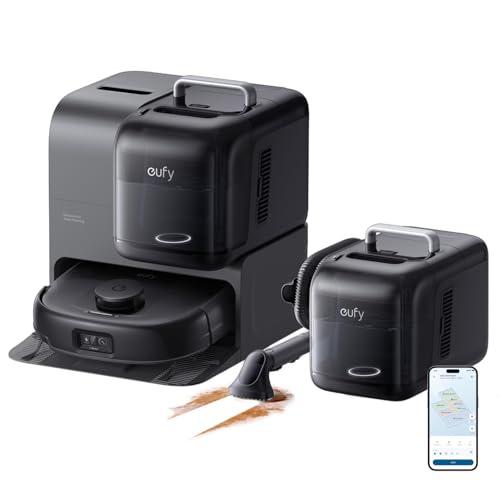
eufy E28 robot vacuum delivers 20000Pa suction, self-washing HydroJet mop, carpet deep cleaner & zero-tangling brushes. Shop now for hands-free clean.

iRobot Roomba Vac Q0120 robot vacuum with 3-stage cleaning, 120-min runtime & Alexa support. Self-charging & app-controlled. See why 50,000+ owners love it!

Shark IQ robot vacuum empties itself for 45 days, maps your home, and features a self-cleaning brushroll. Perfect for pet hair. Works with Alexa. Shop now!
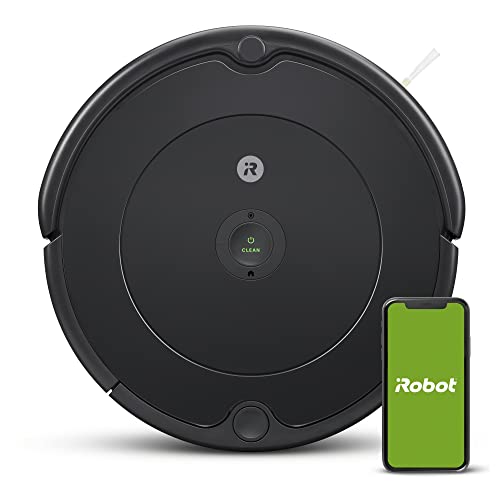
The iRobot Roomba 694 self-charges, navigates around furniture, and tackles pet hair on carpets and hard floors. Shop now for smarter daily cleaning.

DEEBOT T50 MAX PRO features 18,500Pa suction, auto hot-water mop washing & 12-in-1 Omni Station. Hands-free cleaning redefined. Shop on Amazon!
Ready to Find Your Perfect Vacuum?
Browse our expertly reviewed vacuum cleaners and make an informed decision
Browse All Vacuums